
Can I customize the types of sensitive data DISCOVER searches for?
Yes, you can customize the types of sensitive data DISCOVER searches for. DISCOVER provides flexibility to customize scan jobs according to your organisation’s specific data governance needs. Add custom data types by defining:
-
Regular expressions: for pattern-based detection (e.g., employee ID formats, internal codes).
-
Filename expressions: to detect files with specific naming conventions or keywords.
-
Custom phrases or sensitive words: to locate documents containing particular terms or confidential references.
When configuring a scan job, you can select or deselect predefined data types, such as PII (Personally Identifiable Information) and PCI (Payment Card Information), as well as custom data types.
What is different between a One-time Scan and an Ongoing Scan?
One-time Scan and Ongoing Scan differ in how DISCOVER executes and maintains scan jobs:
One-time Scan
-
Runs only once when initiated manually.
-
Ideal for quick assessments, targeted scans, or validating scan configuration changes.
-
After completion, the scan won’t run again unless manually initiated.
-
No automatic re-scan or scheduling is attached.
Ongoing Scan
-
Configured to run at scheduled intervals.
-
Automatically scans new or modified data sources according to the defined schedule.
-
Used for routine monitoring, compliance tracking, and detection of newly introduced sensitive data.
How does agentless scanning work compared to agent-based scanning?
Agentless scanning and agent-based scanning differ primarily in how DISCOVER connects to and inspects target systems.
|
Agentless Scanning |
Agent-Based Scanning |
|---|---|
|
The DISCOVER agent is installed on a host or virtual machine. |
The DISCOVER agent is installed directly on each endpoint. |
|
The agents installed on servers connect remotely to target devices to perform scans and report findings back to the DISCOVER server. |
The agent performs local scans and reports findings back to the DISCOVER server. |
|
Ideal for environments where software installation is restricted, or for scanning large numbers of devices and services. |
Suitable for endpoints that are often outside the organisational network. |
|
Performance depends on network connectivity and access permissions. |
Requires agent deployment and maintenance on each endpoint, as the agents communicate with the DISCOVER server over the network. |
What types of files does DISCOVER scan?
DISCOVER scans a wide range of file types across endpoints and storage systems, including:
|
Category |
File Types /Extensions |
|---|---|
|
C Family |
|
|
Java & JVM |
|
|
Web & Scripting |
|
|
Systems & Functional |
|
|
Legacy / Academic |
|
|
Microsoft & ASP.Net |
|
|
Shell & Admin |
|
|
Data Science / Analytics |
|
|
Modern / Niche |
|
|
Assembly / HDL |
|
|
Other Languages |
|
|
Build / Infra / Config |
|
|
Scripts & Source Code |
|
|
Autodesk |
|
|
SolidWorks |
|
|
PTC Creo |
|
|
CATIA |
|
|
Siemens NX / Solid Edge |
|
|
STEP / IGES (Neutral Exchange) |
|
|
3D Modeling / 3D Designs |
|
|
Office Documents |
|
|
Spreadsheets |
|
|
Presentations |
|
|
Text & Notes |
|
|
PDF & Publishing |
|
|
Email & Messaging |
|
|
Databases / Structured Data |
|
|
Config & Code Snippets |
|
|
Images / Media |
|
|
Backup & Export |
|
|
Logs & Monitoring |
|
|
Financial / Accounting |
|
|
Healthcare / PHI |
|
What happens if the Agent device or the target device goes offling during a scan?
DISCOVER scans involve multiple connections:
-
Agent ↔ Server connection:
-
If this connection goes offline, both the server and the agent will continuously attempt to re-establish a connection.
-
Data transfer from the agent to the server is temporarily halted, but the scan continues.
-
-
Agent ↔ Target device connection:
-
If a target device goes offline, the scan for that specific device pauses.
-
Once the target comes back online, the scan resumes from where it left off.
-
Other targets assigned to the same agent continue scanning uninterrupted.
-
-
Agent self-scan:
-
This does not require network connectivity. It continues even if the agent or server is offline.
-
However, data cannot be sent to the server until the agent-server connection is restored.
-
How do I monitor the progress of ongoing scans?
You can monitor ongoing scans via the DISCOVER Management Console:
-
Navigate to DISCOVER > Scans.
-
In the scans list, check each scan's status.
|
Not Started |
The scan has been created but has not yet begun. |
|
In Progress |
The scan is currently running. |
|
Completed |
The scan has been completed. |
|
Terminated |
The scan was stopped manually. |
Make sure to refresh the page to see the latest status, as this will update the display with any recent changes to the agent’s connectivity or activity.
How can I generate reports of discovered sensitive data?
Reports are automatically generated after each scan job. To download the generated reports:
-
Go to DISCOVER > Results.
-
Select a completed scan job from the list and click Download.
Reports will be downloaded as Excel (.xlsx) files.
Which environments and platforms does DISCOVER support?
DISCOVER supports scanning across a range of Windows environments and select Microsoft cloud services.
Supported Environments
-
Windows Operating Systems:
-
Windows 10 and 11
-
Windows Server 2019, 2022, and 2025
-
-
File Servers:
-
SMB-based file servers and shared network drives
-
Supported Cloud Services
-
Microsoft Exchange
-
Microsoft SharePoint
DISCOVER connects to these systems using secure, standard protocols such as SMB, WinRM, and the Microsoft Graph API, enabling scanning across environments.
What are the firewall or port requirements for DISCOVER?
Yes, DISCOVER requires the following firewall and ports:
|
Port |
Service |
|---|---|
|
22 |
SSH |
|
445 |
SMB |
|
443 |
HTTPS |
|
5986 |
WinRM (HTTPS) |
|
3306 |
MySQL |
|
6379 |
Redis |
Can I schedule scans or run them on-demand?
Yes, DISCOVER allows both on-demand and scheduled scans:
-
On-demand scans:
-
You can run a scan immediately whenever needed.
-
If a scan is already running on the same agent or host, the new scan is queued and will start once the current scan completes.
-
One scan task per agent can run at a time; additional scans are processed sequentially.
-
-
Scheduled scans:
-
You can configure recurring scans on a fixed schedule (daily, weekly, monthly, or custom intervals).
-
Each scan job can have its own schedule, data scope, and sensitivity rules.
-
Ideal for continuous monitoring and compliance checks without manual intervention.
-
What should I do if the DISCOVER Agent cannot connect to the Management Console?
If the Management Console cannot connect to the DISCOVER Agent:
-
Check Network Status – Ensure the Management Console service and the Agent can establish inter-communication over the network.
If the network is functioning correctly but the agent still appears offline,
-
Check Registry Configuration – Open the Windows Registry Editor and navigate to:
Computer\HKEY_LOCAL_MACHINE\SOFTWARE\GuardWare\DISCOVER.-
Confirm that the
organizationNamematches your Organisation -
Confirm that the
serverPortentry contains the correct HTTPS port value. -
Confirm that the
serverIPandserverNamepoint to the correct domain address.
-
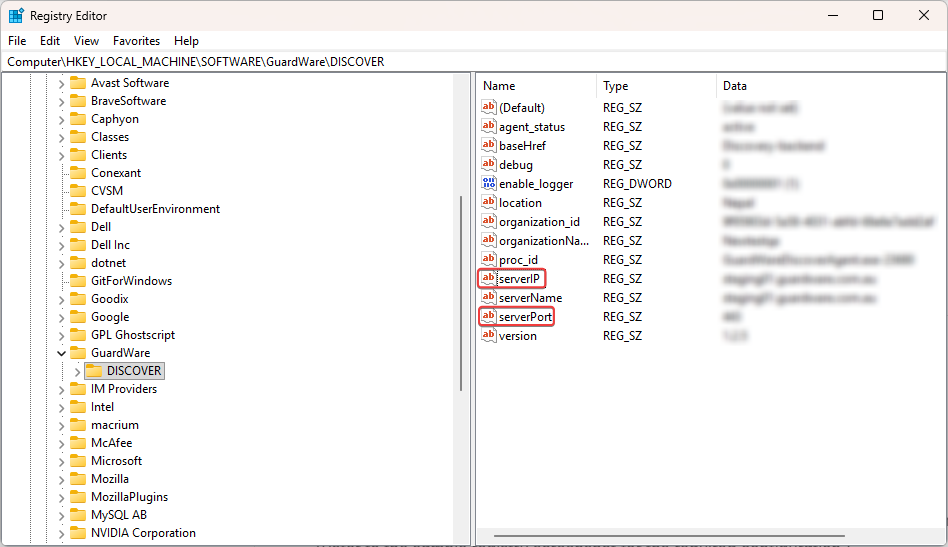
If the given values are incorrect, you will need to reconfigure the DISCOVER Agent and re-establish the connection. To do this:
-
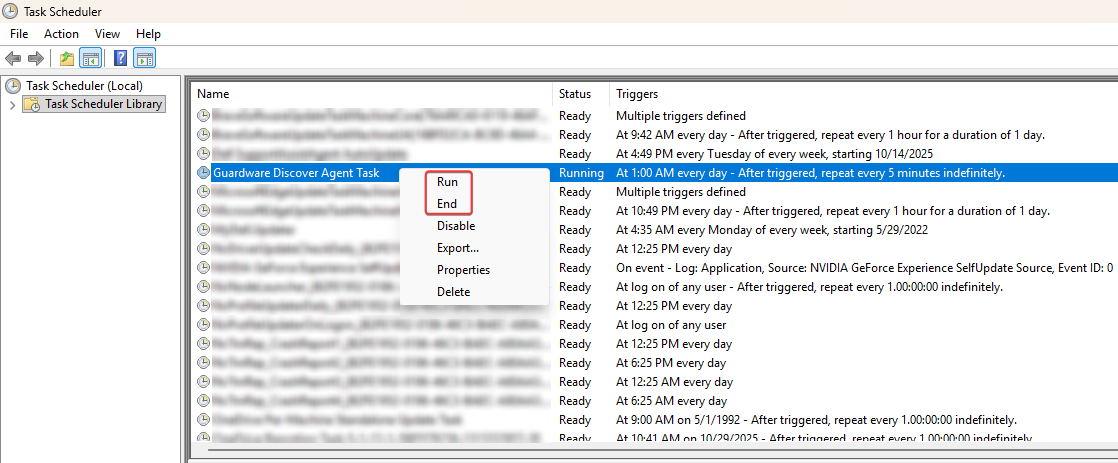
Click the Windows key (⊞), type Task Scheduler, and press Enter.
-
Search for GuardWare Discover Agent Task, right-click it, and select End.
-
Launch Task Manager by pressing Ctrl + Shift + Esc keys together.

-
Search for GuardWare Scan Utility, right-click the process, and select End task.
-
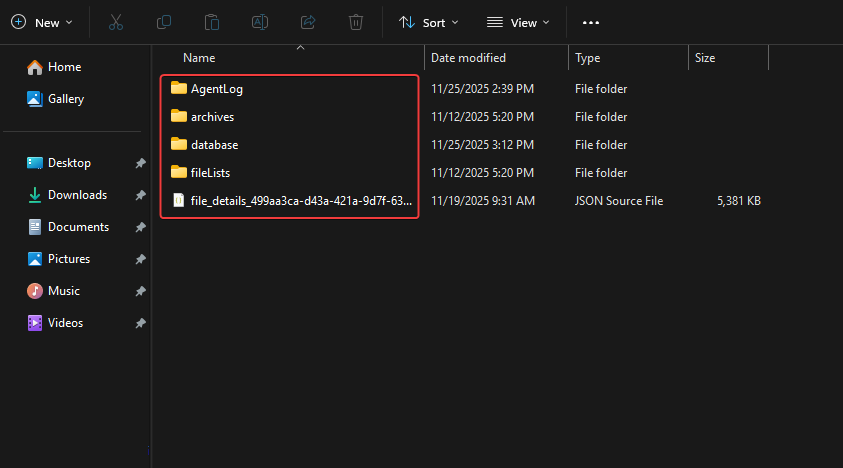
Open File Explorer, navigate to
C:\ProgramData\Guardware\GWScanningAgent, and delete all the contents of the folder.
-
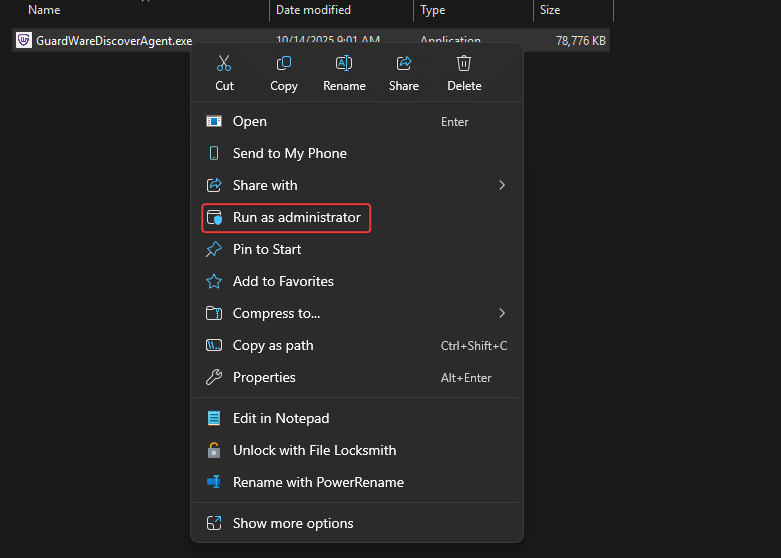
Navigate to
C:\Program Files\Guardware\Discover Agent -
Right-click
GuardWareDiscoverAgent.exeand select Run as administrator.
-
In your browser, refresh the Management Console page to see the reflected changes.
Who can I contact for technical support or further assistance?
For assistance, contact GuardWare support at help@guardware.com.au.